9. Reading What Came In
Two Views Of The Same Thing
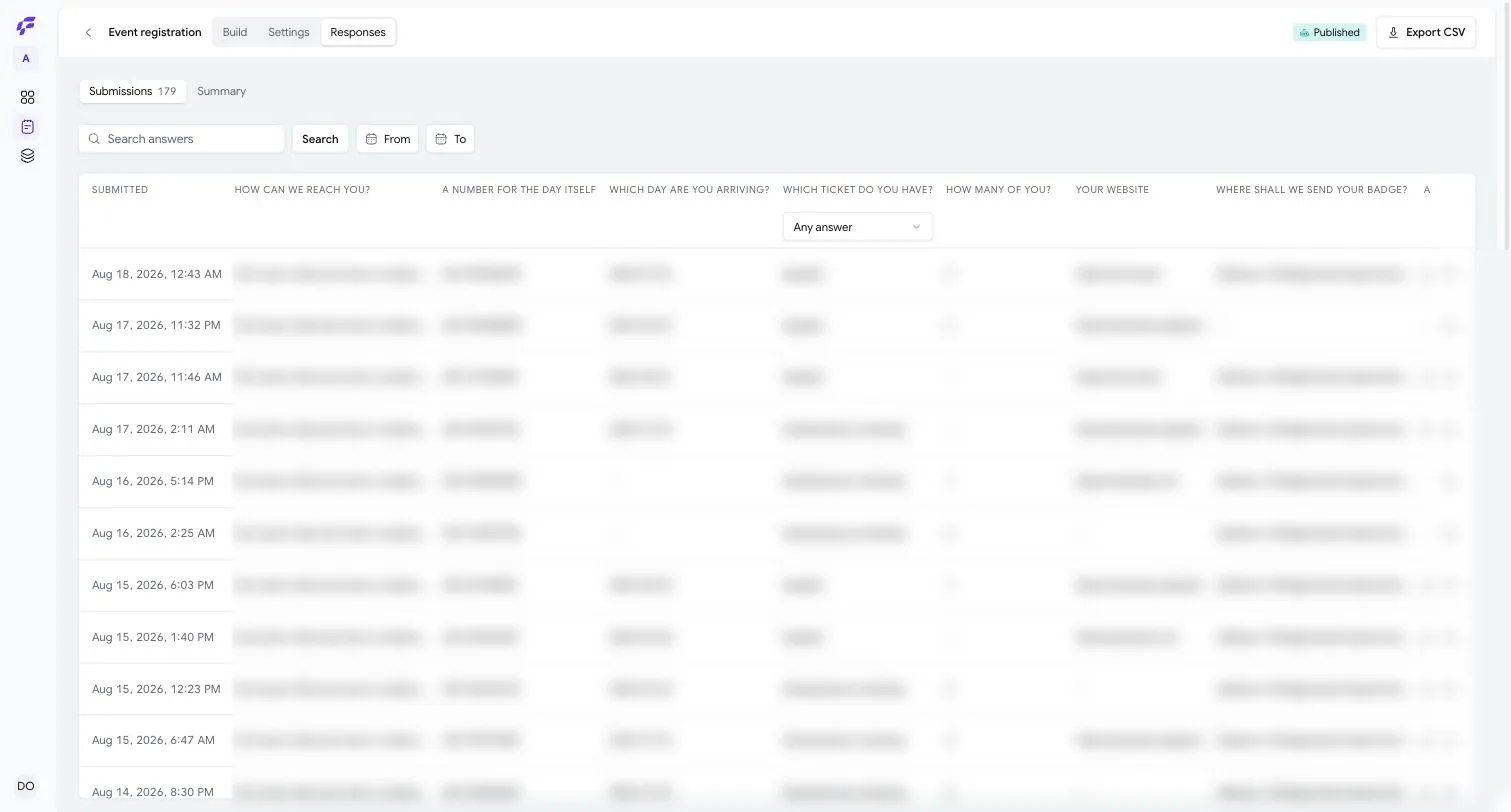
Submissions is every answer that arrived, one row each, with a count beside the word. Summary is the same answers added up, one card per question.
Which you want depends on the question you are asking. What did Maria say? is a Submissions question. What do people say? is a Summary question.
The Table
The first column is Submitted — when it arrived, in your own time zone.
If the form scores its responses, a Score column follows, and it is the one column you can sort by: press it once for highest first, again for lowest.
After that there is one column per question. Not per question the form asks now — per question the form has ever asked. That matters after you have edited a published form: reword a question and the new wording gets its own column rather than quietly rewriting what the earlier people were actually asked. Remove a question and its column stays, because those answers still exist and somebody gave them.
The column headings use each question's Short name if you set one, and its full wording if you did not. This is what that setting is for.
Click any row to open it.
At the foot of the table: Showing 25 of 412, and a Load more button. Pages are loaded as you ask for them rather than numbered, because numbered pages on a list that is still growing show you the same response twice.
When Something New Arrives
The page checks quietly for new answers every twenty seconds — and only while you are actually looking at the tab. When some arrive, a small pill appears: 3 new responses. Press it and the list refreshes.
Nothing is ever inserted under your cursor while you are reading. That is the whole reason the pill exists.
Finding One
Search answers searches the answers themselves — every piece of text anybody typed, across the whole form. It understands word stems, so searching for deliver finds delivered and delivery. It does not search question wording, and it takes plain words rather than symbols.
From and To are two date pickers. Set one, or both, or neither.
Under the column headings sits a row of filters, one per multiple-choice question. Each is a dropdown starting with Any answer and then listing every option with how many people chose it — Pro (128). Only questions with a fixed set of answers get one; for everything else the search box is the tool.
Search, dates and filters all narrow together, each clears on its own, and the whole state lives in the address bar — so a filtered view is a link you can send to a colleague.
Filter down to nothing and the page says so plainly: No response matches those filters — This form has 412 in all — widen the search or the dates. — with a Clear all button.
Before the first answer arrives: No responses yet — Share the form's link and answers will appear here.
One Response At A Time
Clicking a row opens it in a panel beside the table. The panel has its own web address, so you can link somebody straight to a single response and it survives a refresh.
At the top is whatever identifies the person — usually the first thing they typed — then when they submitted and which version of the form they answered.
Then every question that version asked them, with their answer. A question they left blank says Not answered in italics rather than showing nothing, because "they skipped it" and "they answered with nothing" are different facts. Email addresses, phone numbers and links are live; a signature reads Signed.
Each answer has a copy button that appears when you hover over it, and there is a copy button for the link to the response itself.
Newer and Older step through the responses one at a time, and they respect whatever you have filtered to — so you can filter to the people who chose one option and then read through only those. The arrow keys do the same thing. Between the two buttons is where you are: 3 of 42.
The Summary
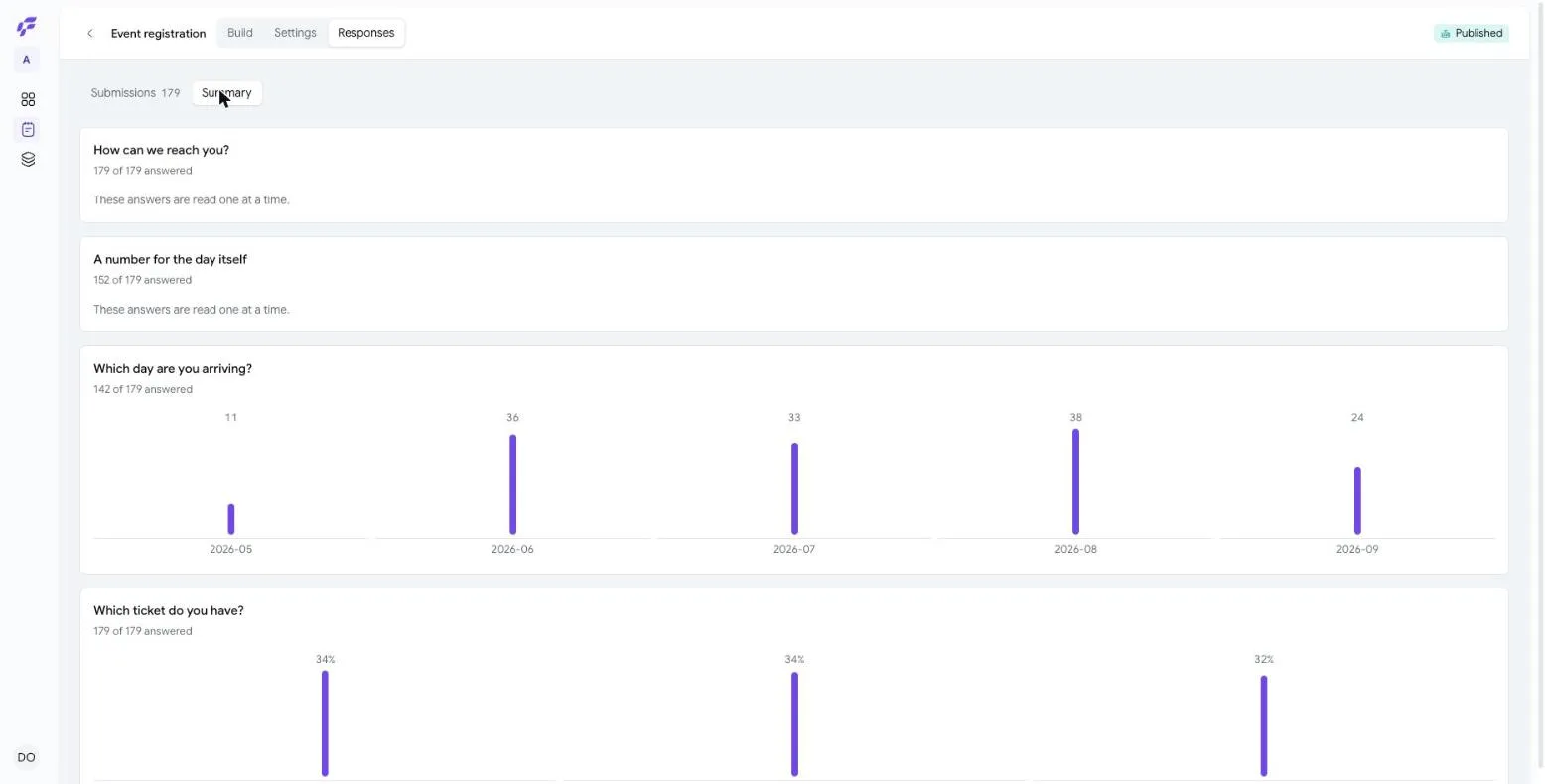
The Summary tab gives each question a card, and each card starts with the same line: 179 of 179 answered. Where that is not the whole story, more is added after it:
- Too few answers to read much into, on anything with fewer than five. A bar chart of three answers looks like a finding and is not one.
- Not asked of 40 earlier responses — this question did not exist when those people filled the form in.
- No longer asked — kept because it was answered — you have since removed it, and their answers are still theirs.
What the card then shows depends on the question:
- A choice question gets a bar per option. An option you have since removed is marked with an asterisk and set in italics rather than dropped.
- A rating or scale gets the same bars, plus Average.
- A number gets Lowest, Average and Highest.
- A date gets a bar per month.
- A free-text question gets A typical answer is 84 characters and the words that keep coming up, each with a count.
- A matrix gets a small table of its rows against its columns.
- Everything else says These answers are read one at a time — a signature or an uploaded file has no meaningful average.
If the form scores responses, a Score card sits at the top with the lowest, the average and the highest.
Taking It With You
Export CSV at the top right. CSV is the format every spreadsheet opens.
The file is built in the background rather than made to wait: press the button and the header shows Preparing your export… while it works. When it is ready the button becomes Download 412 rows. Nothing is emailed to you — the file appears where you asked for it. Exports stay downloadable for seven days.
The file has a column for the response, one for when it was submitted, one for the form version, and then the same one-column-per-question-ever-asked as the table. The search and the date range you had on screen come with it.
Deleting One
Open a response and there is a delete button. It asks first: Delete this response? — The answers this person gave are removed for good. Export first if you need a copy.
Only an Owner can do this. There is no bulk delete, and that is not an oversight.
Next: Your team →