2. Making Your First Form
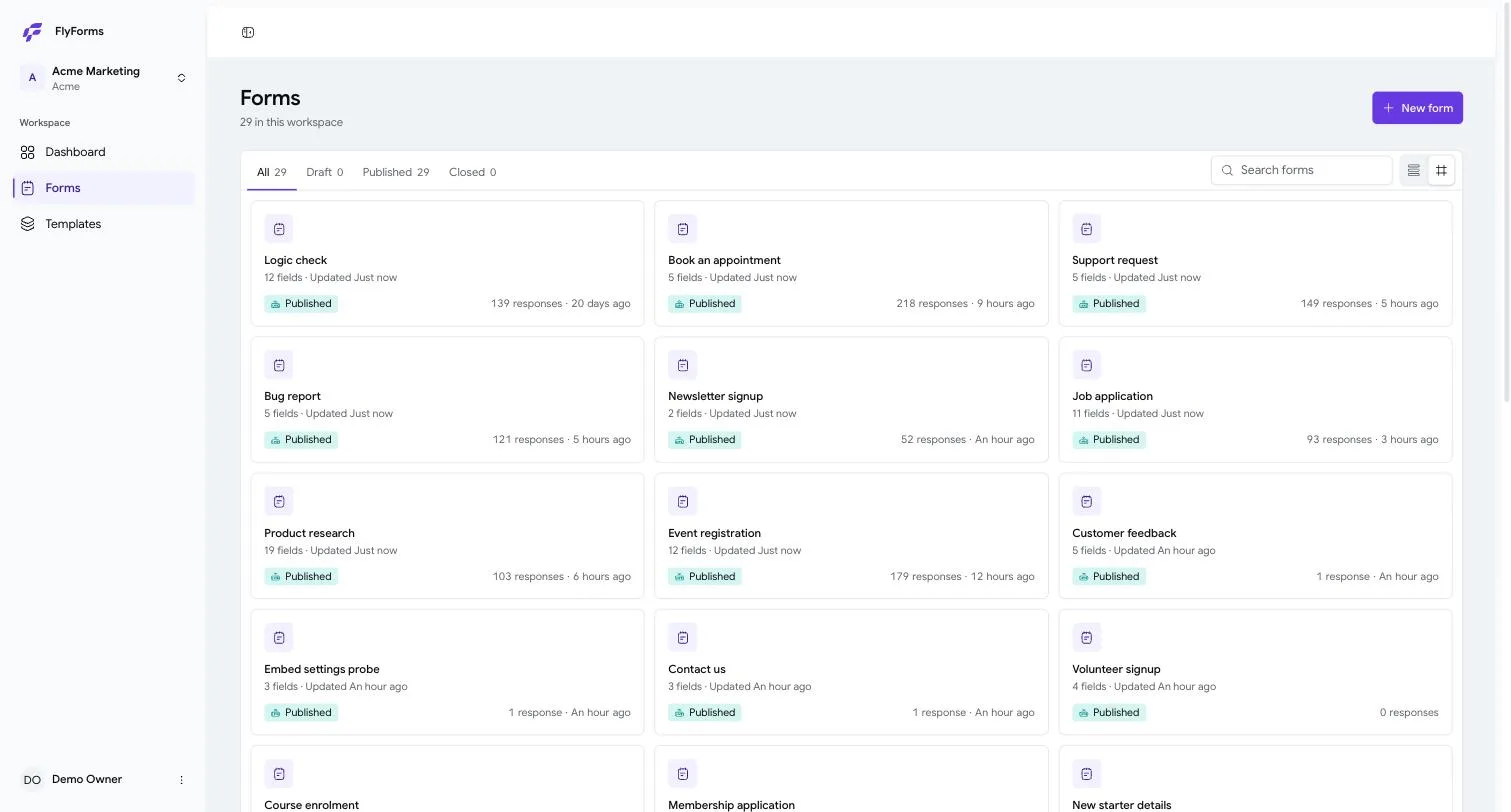
The List
Every form you have is here. The tabs across the top — All, Draft, Published, Closed — are the only four states a form can be in, and the number beside each one is how many you have.
Each card tells you the four things worth knowing at a glance: what it is called, how many questions it asks, whether it is live, and how many answers have arrived. The two small buttons at the top right switch between cards and a plain list.
Starting One
Press New form and you are offered three ways in.
A template. Forty-two of them, sorted into thirteen categories — Applications, Bookings, Education, Events, General, HR, IT, Marketing, Orders, Reports, Support, Surveys. Each card says how many questions and how many pages, and Preview shows you the whole thing before you commit. Use copies it into your workspace, where it is yours to change.
One of your own. Anything you saved as a template appears here too.
Blank. One question, and the rest is yours.
Then you name it. The name is for you and your team — respondents never see it unless you put it on the form yourself — and you can change it whenever you like.
What Happens The Moment It Exists
You land in the builder, and the form is a draft. A draft has no web address and answers nobody. Nothing you do can go wrong yet.
Across the top are three tabs, and they are the three things there are to do:
Build — the questions. Settings — how it behaves. Responses — what came back.
On the right, Publish turns the draft into something people can answer.
Nothing To Save
There is no Save button in the builder, and that is deliberate. Every edit is written as you make it; the header says All changes saved when it has landed.
If you try to leave while an edit is still on its way, FlyForms stops you and asks — Your last change has not saved yet — and offers to save it before you go. That question only appears when there is genuinely something to lose. A dialog that appeared every time is one people learn to dismiss without reading.