1. Finding Your Way Around
The Three Words On The Left
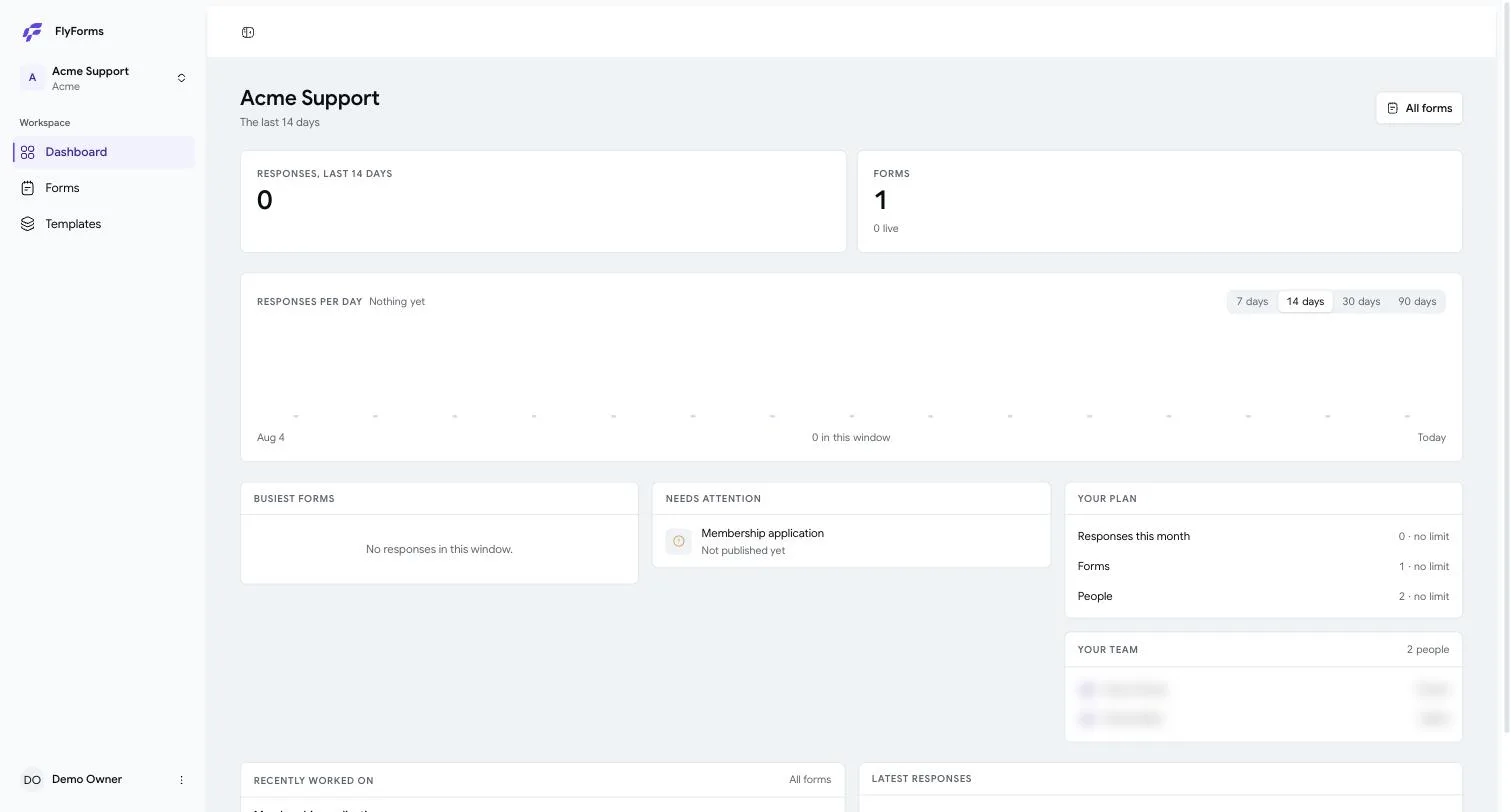
At the top of the sidebar is the workspace you are in. A workspace is a named place that holds forms, the people who can see them, and the answers that arrive. Click it to switch to another one, if you belong to more than one.
Underneath are the only three places there are:
Dashboard — what has happened lately. How many answers arrived, which forms are busiest, and anything that needs attention. The chart covers the last 7, 30 or 90 days; the buttons above it change the window.
Forms — everything you have built, live or not.
Templates — forms you have saved to reuse, and the forty-two we ship with.
That is the whole application. There is no fourth menu hiding somewhere.
What The Dashboard Is Actually Telling You
The cards are ordered by how often people need them, not by how impressive they look.
Responses and Forms are counts, with the live figure underneath so you can see at a glance how much of your work is actually out in the world.
Needs attention is the useful one. A form you built and never published shows up here, because an unpublished form answers nobody and it is the easiest thing in the product to forget.
Your plan shows what you have used against what you are allowed. A limit reading no limit is not a bug — it is a plan without a cap on that thing.
Your team is who else is in this workspace, and what they may do. The next page explains what each role means.
Organizations, And Why You May Not Think About Them
Above the workspace sits the organization — the company. It owns the plan, the bill and the people. One company can run several workspaces (Marketing and Support, say) and pays once for all of them.
Most people never touch this. It matters in exactly two moments: when somebody joins the company, and when the plan changes.
Next: Making your first form →