20 Question Types
Each one uses the browser’s own input, so keyboard shortcuts and phone pickers work the way people expect
20 question types, 27 themes, screens, a permanent address, an embed for any page, and the answers in a table you can search and export. Everything below is built and running today.
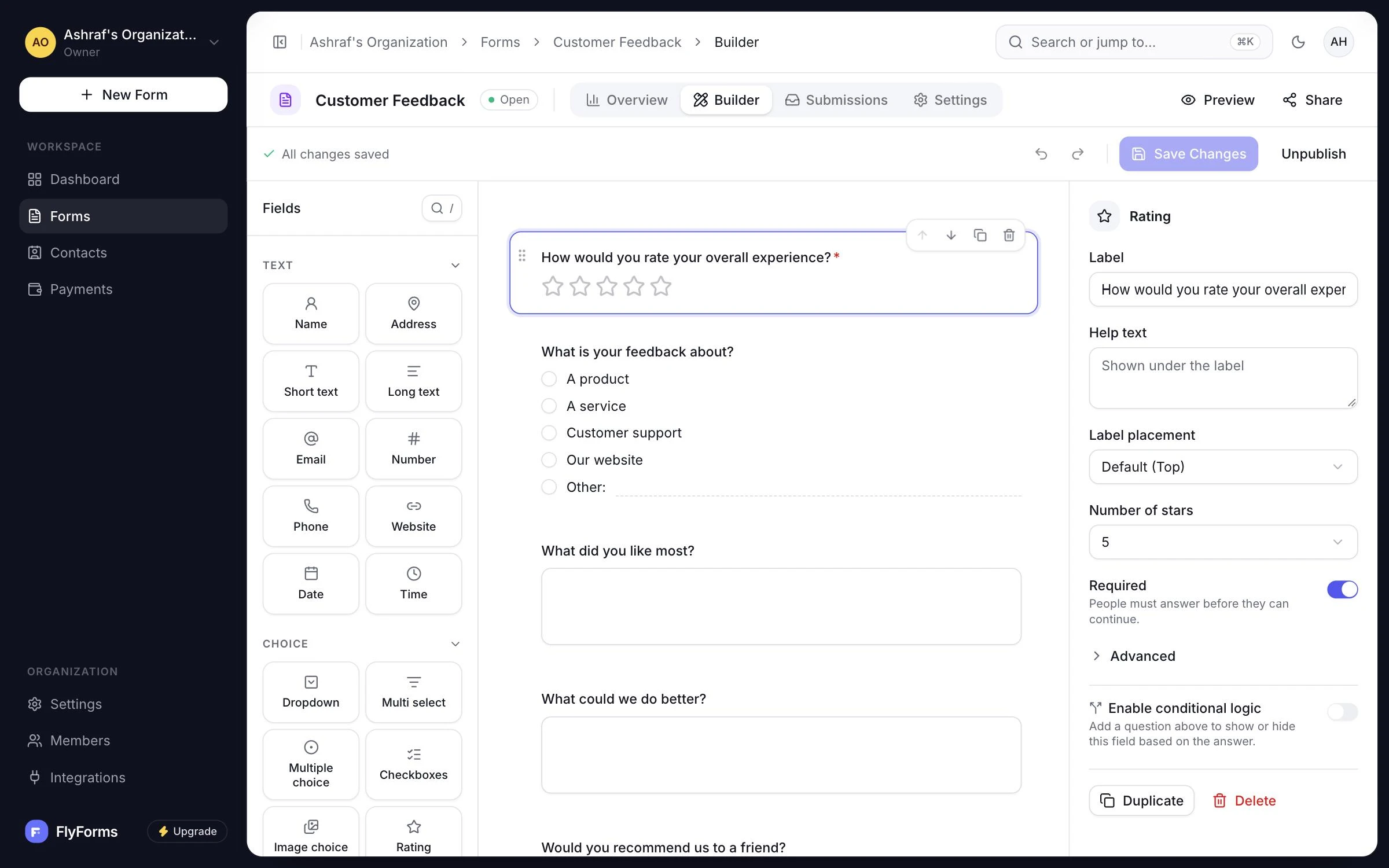
Build the form on the canvas, read every response in one table, and see what changed on the dashboard.
The builder
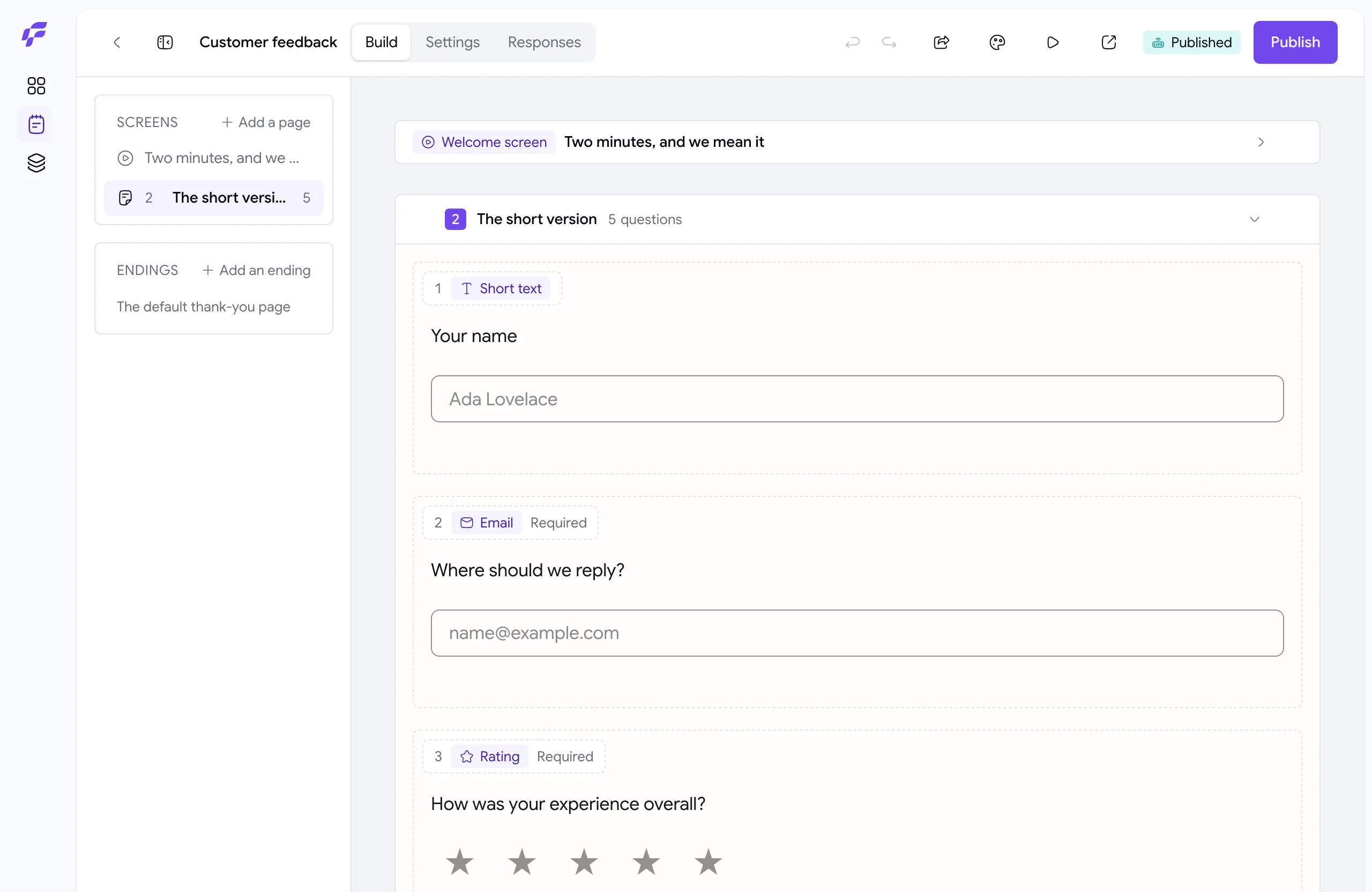
No placeholder cards and no separate preview. What you arrange is what a respondent sees, at the width they see it.
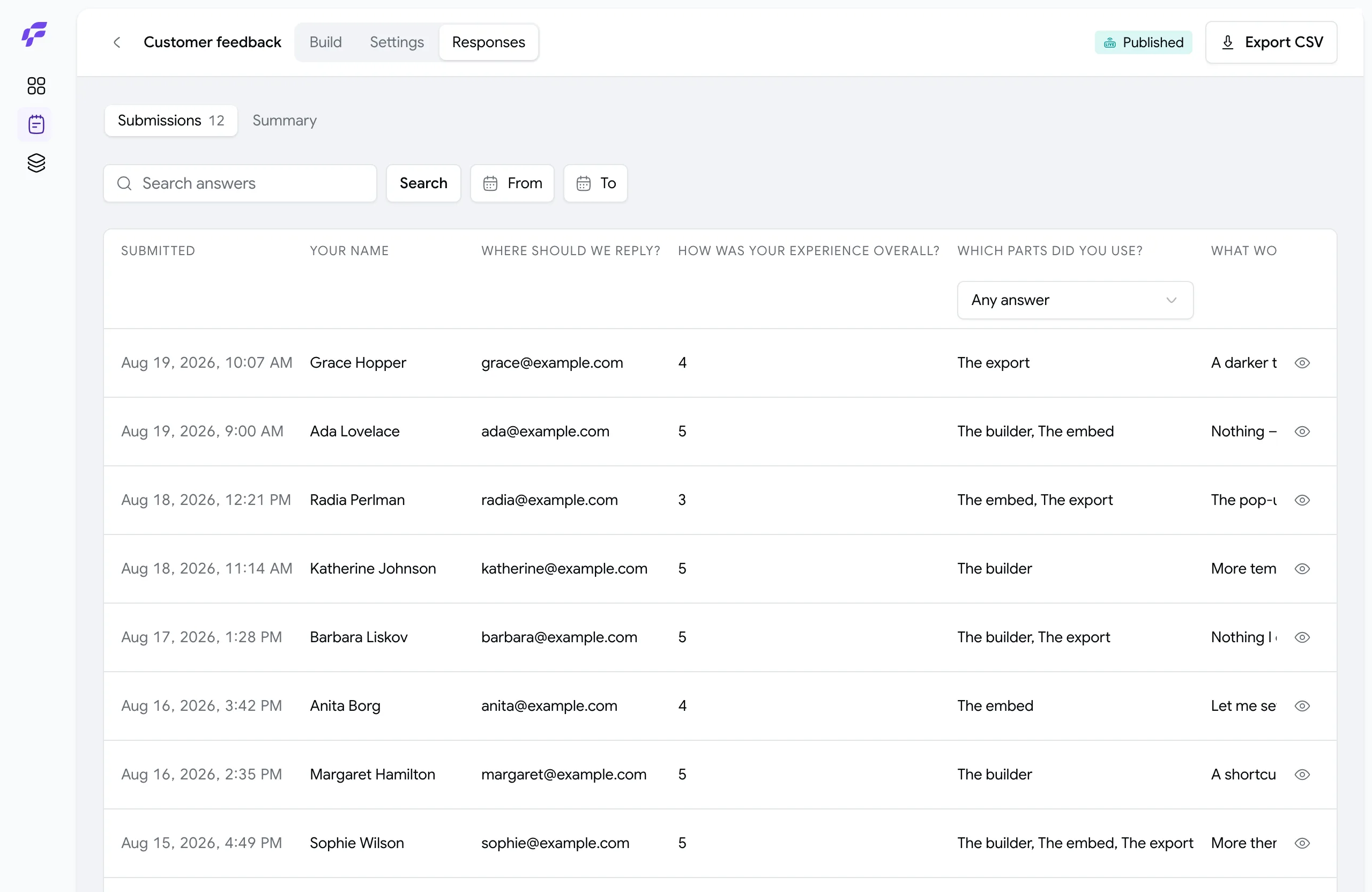
The answers
Search every answer, step through responses with the arrow keys, and export the filtered set as CSV
The dashboard
Totals compared with the period before, responses per day including quiet days, and the forms you worked on last

Building
20 question types, 27 themes, screens, and layouts that work on a phone. All of it is in the builder today.
Each one uses the browser’s own input, so keyboard shortcuts and phone pickers work the way people expect
Every preset passes a contrast check. Pick any color of your own, shape inputs and buttons down to each corner, or add your own CSS. The builder warns you when a color pair would be hard to read.
Split a form into steps, open with a welcome, and end with your own words and a link onward. Or keep it all on one page.
A question can take part of a row, so first and last name sit side by side. On a phone, every question goes full width so nothing is cramped.
Give people an Owner, Editor or Viewer role in each workspace, all under one organization. Nothing in one workspace is visible from another.
The app and your forms both work right-to-left, built that way from the start rather than patched on later
Publishing
Each publish saves a fixed version. Every answer stays matched to the questions people actually saw, so editing a live form never changes past answers.
Inline, a pop-up in a corner, or a page of its own. Two lines of HTML, and the frame sizes itself as a respondent moves through the form. Blend it into your page, or give one placement its own colors and corners from the snippet.
Verify a domain once for your organization, and forms in any of its workspaces can use it. Until then, every form has a permanent link on our domain.
FlyForms draws it, not an outside image service, so nobody else learns which forms you print
Collecting
The form needs no server of your own, and it works with JavaScript turned off. That is why one form can live on a static site, a marketing page and a WordPress theme at once.
No error shows until someone has had a chance to answer, and it clears as soon as they fix it. The browser and the server show the same message, because both check the same published version.
An invisible bot trap and a minimum fill-in time run before any file or response is saved, so spam bots get nothing stored
List the sites allowed to send answers to your form. Answers from anywhere else are turned away.
Reading
A table you can search across, each response on its own to step through with the arrow keys, and an export of exactly the set you are looking at
Search every answer, filter down to what you need, and export just those as CSV
Email yourself or anyone else when a response arrives. You choose the addresses, so it does not depend on who owns the form.
Only an Owner can delete a response, and a deleted response is gone for good
What is not on this page
Conditional questions, the numbers behind a form and delivery into other tools are all planned, and none of them is named above. A features page listing what is coming is the one page a customer quotes back at you.
FlyForms is invitation-only while we get started
A playable copy of the builder. Nothing here is sent anywhere.